The New Year is a great time to get yourself organized and make virtuous resolutions.
It’s also as good as any to face an unpleasant fact: Your notebook is not your friend. Yes, it helps you be productive.
But here’s what happens when you’re using a laptop on the road: You tilt your neck down to look at the screen.
Meanwhile, you bend your wrists in order to type on the keyboard. And you do this for hours–in hotel rooms, airplanes, conference rooms, and other places not exactly known for proper ergonomic set-ups.
“Laptops are inherently unergonomic–unless you’re 2 feet tall,” is how physician Norman J. Marcus put it recently in The Wall Street Journal.
What can you do about it? Read on.
At the Office
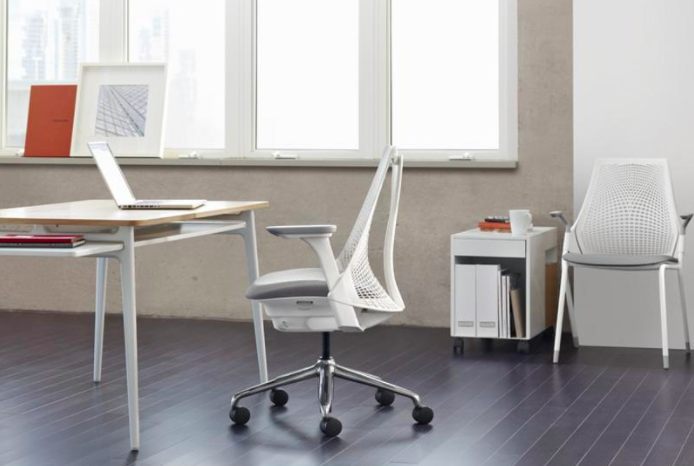
When you’re working at home or at the office, you’ve got a lot more control over your ergonomics. Some essential tips are mentioned here.
Are you getting headaches while using computer? You will get headache pain and inconvenience in your eyes when you sit for many hours in front of the computer screen.
You are not alone; many office employees are experiencing headaches as they spend long time in front of computers.
Here are 6 ways to prevent computer related headaches.
- Place the monitor in front of you. Keeping the monitor off-centre results in neck and shoulder pains and you have to twist your body to see the screen. It also gives stress to your eyes resulting in headaches.
- Place the monitor arm’s length away from your body when you sit back in your chair. Sitting too close or too far from the computer screen can strain your eyes resulting in headaches.
- Lower the monitor or raise your chair to keep the screen in level with your eyes.
Repetitive stress injury (RSI) occurs when a muscle, joint or tendon is overexerted. RSI results when you repeat the same movements again and again.
Most of the time you spend in front of a computer, therefore this weakens the joints and muscles and tendons surrounding them.
These weak areas are more likely for repetitive stress injuries. Planning an exercise program can be helpful for reducing RSI.
- Before starting any exercise program, focus on strengthening these joints. Whenever you start a new workout, start with few sets.
- Posture is important while exercising. Improper posture can cause serious neck, back, shoulder or ankle injury. Follow proper posture while doing other activities also. If you sit with an awkward posture in front of computer, you will follow same posture while exercising.
- Warm up exercises are essential before starting any exercise to prevent RSI. Muscles become flexible with warm up exercises.
Do you often feel itching and burning sensation in your eyes after using computer for a long time?
Chances are you may be suffering from dry eye syndrome, which occurs when your eyes do not produce sufficient tears.
This can result in excessive wear and tear on your eyes.
Anyone can be at risk of dry eyes, especially those who spends most of the time in front of computer.
Tips to cope with dry eye syndrome:
- Take breaks to give rest to your eyes.
- Close your eyes for few seconds every now and then.
- Drink lots of water and reduce caffeinated drinks.
- Remember to blink your eyes more often.
- Keep eye drops along with you to lubricate your eyes as and when needed.
- Use humidifiers to keep the air moist in winter months.
Sales of laptop computers passed desktops in the U.S. for the first time ever this fall, according to market-research firm IDC. That’s bad news for backs, necks and shoulders.
“Laptops are inherently unergonomic - unless you’re 2 feet tall,” says physician Norman J. Marcus, a muscle-pain specialist in New York City.
When you work at a computer, the keyboard [Ergonomic Keyboard] should be at elbow height, so your upper and lower arms form an angle of 90 degrees or more and your forearms are supported by armrests.
The monitor should be roughly at eye level so you can lean back in a chair with back support.
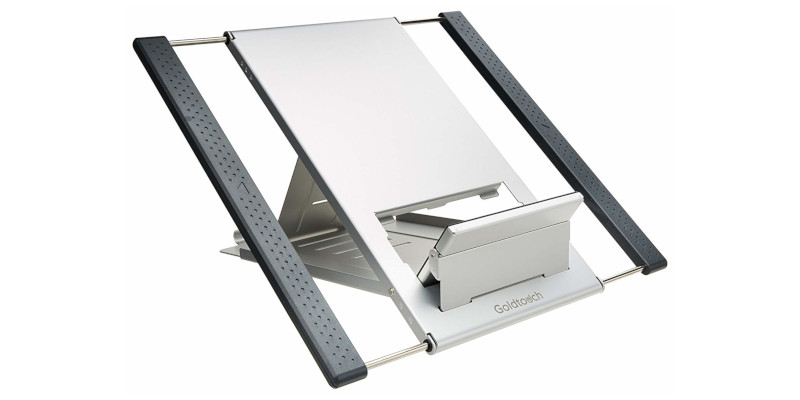
But most users simply set their laptops on a desk or table. The keyboard is too high, which makes your arms reach up, your shoulders hunch and your wrists bend down. The monitor is too low, which pulls your head and neck forward and down and puts a strain on your back.
The soon-to-be-released Orbita Mouse is designed to change the way pointing devices are used, while bringing ergonomic benefits.
The Orbita Mouse, designed by Cyber E Sport company, is a new take on the mostly unchanging mouse that promises to lower hand-strain on the user and offer an easier and more intuitive way to scroll.
The circular mouse works at any angle and rotates freely. This rotation can act as both vertical and horizontal scrolling, making the Orbita function almost like a dial.
No more 1,2,3 scrolls, page jumps or grabbing the scroll bar to get where you want in a document. With the Orbita you simply rotate continuously until you’ve found what you want.
And it’s not just long documents that become easier to deal with, music and video apps will be a breeze with the ability to turn volume knobs more naturally or jog through video footage like a pro; and what about zooming through Google Earth, a 3D app or a gaming environment without having to stop until you’re ready?
Computer desks have many features in common.
They are designed to hold a computer and all of its various components, like a scanner, monitor, and keyboard.
These desks have storage, shelves, and compartments.
They have an opening in the back for the wires to escape from so that they can be plugged into the outlets easily.
Many are made of wood, though they are available in other materials, such as metal and fiberglass.
Desks that are made of wood usually carry a heftier price tag.
Though there are oversized desks on the market for you to chose from to custom-fit your interior, they are available in standard sizes in almost every office furniture outlet.
You can order a computer desk to be fully customized by hiring a carpenter, but this is the least economical function and may not let to proper ergonomics.
Ever feel envious of another person’s office setup? Well, it’s very common.
You walk into a well-equipped ergonomic office, with advanced technology and all the fancy office fixins’.
The office owner has clearly taken full advantage of office ergonomics and proudly displays a comfortable chair, a large LCD monitor set at the perfect adjustment in its monitor holder, a fancy computer privacy screen, and a hip adjustable keyboard tray upon which an ergonomic keyboard sits.
Meanwhile, back at your office, you have wires everywhere, a bulky old-fashioned computer monitor, a flat and hand-crippling keyboard, you’ve never even heard of a keyboard shelf, and your mouse only works after tapping it on your crowded desk.
There is one simple solution to this problem – Get a new home office. Setting up a new office or improving your current home office doesn’t have to cost you a fortune.
Workplace injuries continue to be a major concern for businesses, both large and small.
According to the Bureau of Labor and Statistics, more than 4 million non-fatal injuries and illnesses occur each year.
These injuries account for approximately $20 billion in workers’ compensation costs per year.
In addition to the direct costs associated with workers’ compensation, there are also indirect costs (decreased productivity, lost work days, training new employees) that also affect the bottom line.
A study in the Journal of the American Medical Association reported that musculoskeletal disorders (back pain, neck pain, headaches) are costing American companies an estimated $61.2 billion (direct and indirect costs) each year.
These figures are staggering and should be taken seriously by employers. Workers’ safety should be a top concern for all businesses no matter what the size of the company.
Ergonomics are very useful in work environments, particularly those involve computers.
Apart from giving utmost protection to health, ergonomics are specially designed to maximize efficiency and safety of the computer users.
Unfortunately, despite of using ergonomics tools in work environments, occupational injuries are still taking place.
To reduce the risks of occupational injuries, recently Pilates has become mostly recommended rehabilitation method by many occupational health experts.
How Pilates can help to prevent ergonomics risks?
While performing Pilates, you can clearly understand the whole mechanism of your body. You can certainly enhance the function of your job and also your overall health as well.
The main reason why Pilates are helpful to prevent various ergonomics risks is - Pilates mainly involves your body-mind coordination, concentration and also endurance.
It takes lot of focus, attention and thought of the person to practice each exercise of Pilate properly, effectively with utmost safety.
Recent Posts
- Laptop Ergonomics For Mobile Professionals
- 6 Ways To Prevent Headaches With Regular Computer Use
- Exercise Tips To Prevent Repetitive Stress Injuries
- Coping With Dry Eye Syndrome
- When Your Laptop Is A Big Pain In The Neck
- Orbita Mouse To Lower Hand Strain On The User
- Choosing The Right Laptop Computer Desk
- Amazing Home Office Setups
- Decrease Overhead Costs By Reducing Workplace Injuries
- Pilates To Prevent Workplace Risks